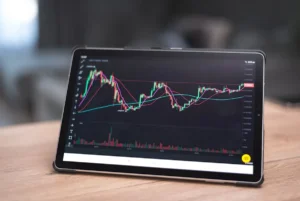
A desktop keyword position tracker lets you check where your pages rank for target queries, compare movement over time, review which URLs are gaining or losing support, and spot competitor changes across the Top 100 results. For SEO teams that need direct control over projects, exports, and local analysis, a desktop setup is useful when you want rankings on your machine, scheduled checks you manage yourself, and fast access to keyword-level history without relying on a browser dashboard.
What a desktop keyword position tracker does
The core job is simple: it checks search positions for your chosen keywords and records how those positions change. The commercial value comes from the detail around that ranking check. A strong desktop keyword position tracker should show:
- Current position for each keyword and landing page
- Daily, weekly, or custom movement trends
- Top 10, Top 20, and Top 100 visibility patterns
- Which page is ranking now versus which page ranked before
- Competitor entries, exits, and gains across the same SERPs
That means you are not just seeing a number beside a keyword. You are seeing whether page support is improving, whether the right URL is holding the term, whether another page has started cannibalizing the query, and whether a competitor is building momentum before they reach the top positions.
When to use a desktop tracker instead of a lightweight rank checker
Use a desktop keyword position tracker when rankings are tied to active SEO decisions. If you are refreshing category pages, consolidating articles, launching new landing pages, or measuring the impact of internal linking changes, you need more than a one-off spot check.
Desktop tracking is especially practical when:
You manage a defined keyword set
Agencies and in-house teams often track a fixed group of commercial, editorial, and branded terms. A desktop tracker makes it easier to organize those keywords into projects, segments, and reporting groups.
You need movement history, not just current positions
One ranking snapshot can be misleading. A page moving from position 18 to 11 over three checks may be healthier than a page sitting at position 9 after dropping from position 4. Trend data helps you decide whether to keep supporting a page, rewrite it, or replace it.
You want to review page support at URL level
Keyword tracking is most useful when tied to the actual page ranking. If a product page loses a term to a blog post, or a location page is replaced by a broader service page, that is a page support issue. Desktop tracking helps identify where search engines are shifting relevance.
You need competitor review inside the Top 100
Important changes often start outside page one. If a competitor moves from position 67 to 24, then 24 to 12, you have an early warning. Top 100 visibility patterns show who is gaining traction before they become a direct threat in the top results.
How SEO teams use ranking data in practice
Keyword positions matter most when they are connected to actions. A desktop keyword position tracker helps teams answer practical questions quickly:
- Which URLs deserve more internal links because they are close to page one?
- Which keywords have dropped because the ranking page changed?
- Which competitor pages are advancing across a priority topic cluster?
- Which content updates led to stable gains rather than temporary spikes?
For publishers, this supports editorial refresh planning. For agencies, it sharpens client reporting and prioritization. For in-house teams, it helps justify where technical fixes, content updates, and link support should go next.
What to look for in a desktop keyword position tracker
Reliable position history
You need stored ranking history by keyword and by URL. This lets you separate short-term volatility from real movement and identify whether gains are holding after a content or technical change.
URL-level ranking attribution
Tracking the keyword alone is not enough. The tool should show exactly which page ranked on each check, so you can catch cannibalization, unintended page swaps, and weak landing-page alignment.
Competitor comparison in the same SERP set
Useful competitor review is not a generic domain comparison. It should show which competing pages appear for the same keywords, where they enter the Top 100, and how often they overtake your page.
Segmented reporting
SEO teams need to group keywords by topic, intent, page type, market, or client. Segmentation turns ranking data into decisions. Without it, reports become long lists with little strategic value.
Export and local control
A desktop setup is often chosen because teams want local files, direct exports, and control over how projects are stored and reviewed. That is useful for agencies handling multiple reporting cycles or teams with internal documentation requirements.
Short workflow example
An in-house ecommerce team tracks 300 commercial keywords tied to category and subcategory pages. After updating internal links and on-page copy for a footwear section, they run scheduled checks for two weeks. The desktop keyword position tracker shows 18 keywords moving from positions 11-20 into the Top 10, but also reveals that one blog guide has started ranking instead of a key category page for a high-value term. The team adds stronger internal links to the category page, tightens the guide’s targeting, and monitors whether the preferred URL regains the query while keeping competitor movement in view.
Practical benefits for agencies and in-house teams
- Spot ranking gains and losses before they affect reporting cycles
- See whether the correct landing page is being supported by Google
- Identify competitors rising through the Top 100 before they reach page one
- Prioritize content refreshes and internal links based on movement data
How SEO Keyword Rank Tracker supports desktop rank analysis
SEO Keyword Rank Tracker is built for teams that need ranking data to guide action, not just populate a chart. The focus is on keyword movement, page-level attribution, competitor review, and visibility patterns across the Top 100. That makes it easier to see which pages are being rewarded, which terms are drifting, and where competitors are building presence across your priority SERPs.
For agencies, that means clearer client reporting tied to actual page performance. For publishers, it means identifying which articles need reinforcement and which sections are gaining traction. For in-house teams, it means connecting ranking changes to page updates, internal linking, and content support decisions with less guesswork.
FAQ
Is a desktop keyword position tracker accurate enough for SEO decisions?
It is useful for directional SEO decision-making when checks are consistent and tracked over time. The main value is not a single position, but the movement trend, ranking page changes, and competitor patterns across repeated checks.
Can a desktop tracker help with keyword cannibalization?
Yes. If different URLs start ranking for the same keyword over time, the tracker can reveal that page swap and help you decide whether to consolidate, retarget, or strengthen the preferred page.
Why does Top 100 tracking matter if most clicks happen in the Top 10?
Because competitive movement usually starts earlier. Watching the Top 100 helps you identify emerging competitors, improving pages, and topics gaining support before they become visible threats at the top of the SERP.
Who benefits most from desktop rank tracking?
SEO professionals, agencies, publishers, and in-house teams benefit most when they need structured keyword sets, URL-level ranking review, and practical reporting tied to page performance and competitor movement.